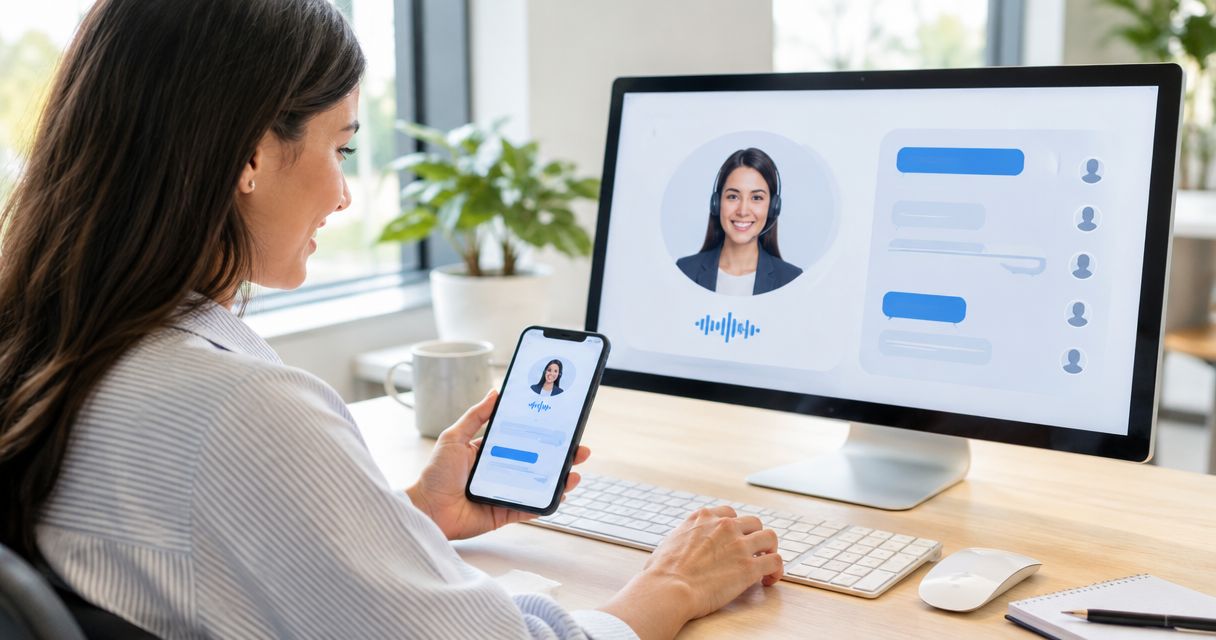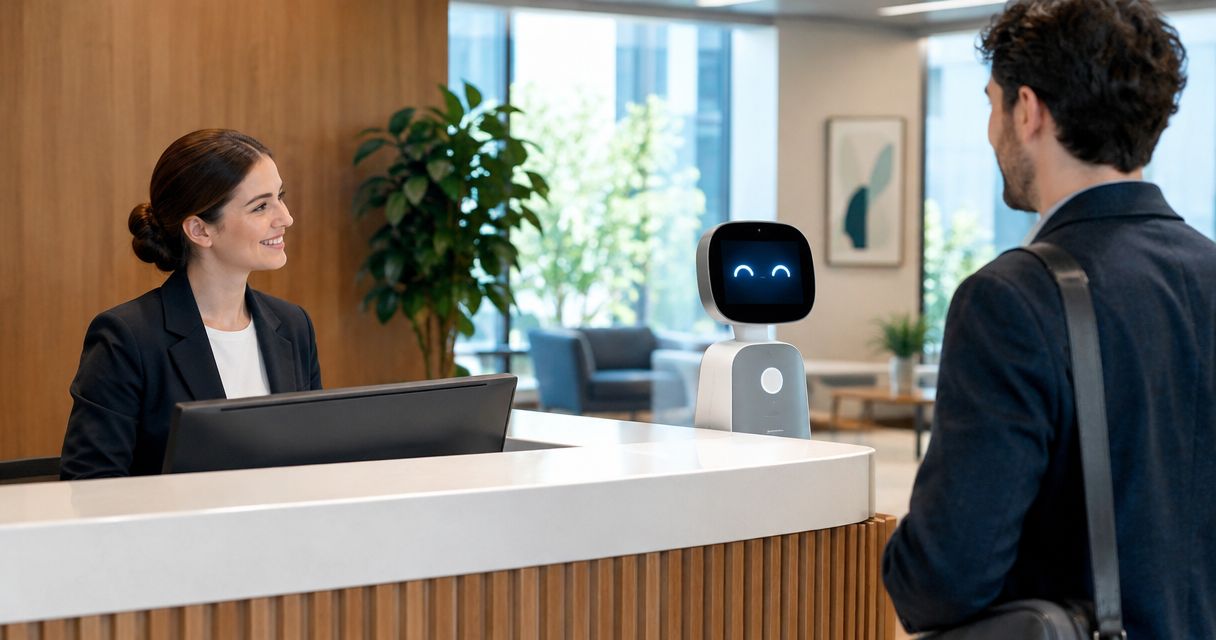
An AI receptionist can replace specific front desk tasks, but it does not replace the full job of a human front desk employee. For a service business evaluating automation in 2026, the decision depends on whether the role involves repeatable inquiries and scheduling or also requires in-person help, judgment, and responsibility for exceptions. Even when software handles routine conversations, someone must own unresolved requests and maintain the system.
- Does an AI receptionist replace a front desk employee? It replaces selected tasks, not automatically the whole role.
- Keep human ownership of complaints, unusual requests, in-person service, and unresolved bookings.
- AL IntelliFlow supports lead management; voice receptionist capabilities require separate integrations or configuration.
- Choose automation by workflow, then test the handoff before changing staffing.
Does an AI receptionist replace a human front desk employee?
An AI receptionist replaces a task only when it can complete that task within clear rules and pass exceptions to a responsible person. Answering an inquiry is not the same as resolving it, and collecting an appointment request is not the same as confirming a workable booking.
If you are still separating the technology from the job title, start with how an AI receptionist actually works. Then compare these operating models against the work your front desk actually performs.
| Operating model | Best for | Main advantage | Main limitation |
|---|---|---|---|
| Human-led front desk | In-person service and judgment-heavy requests | A person can interpret context and take responsibility for exceptions | Coverage depends on staffing and competing duties |
| Automation-led reception | Narrow, repeatable remote inquiries with documented rules | Configured software can handle defined steps without manual repetition | Unclear requests still need a human owner; capabilities vary by setup |
| Human front desk with automation | Mixed workloads involving routine intake and personal service | Repetitive work can move into software while staff handle exceptions | Handoffs need testing, maintenance, and clear ownership |
These are workflow choices, not a ranking of employees against software. A business that needs someone to welcome visitors has a different staffing requirement from a business whose reception work consists mainly of collecting inquiries remotely.
Why this matters
A front desk job is usually a collection of responsibilities, not just a telephone. If you evaluate only call answering, you leave the rest of the job outside the decision.
For your 2026 staffing plan, separate the goal from the proposed solution. Reducing interruptions, improving follow-up, and covering unattended inquiries are different goals; none automatically requires eliminating a position.
Consider a home-service office where an employee answers calls while coordinating with technicians. Automating basic intake can remove repetitive questions, but a schedule conflict still needs a decision. The useful question is who handles that conflict, not whether the software sounds conversational.
Human-led reception: keep judgment close to the customer
Best for: businesses where reception includes physical presence, sensitive conversations, or frequent exceptions. Keep a person responsible when the next step depends on understanding circumstances rather than following an approved instruction.
A front desk employee can greet a visitor, notice confusion, and ask an unplanned follow-up question. That work is different from collecting a name and preferred appointment time. Voice software cannot provide physical assistance at your premises.
Human-led reception also has limits. An employee helping a visitor cannot give undivided attention to an incoming call at the same moment, and coverage ends unless another person takes over.
Do not treat those limits as evidence that the employee is unnecessary. Identify which interruptions software should absorb and which conversations deserve protected staff attention.
Automation-led reception: keep the scope narrow
Best for: clearly defined remote tasks with approved answers and an explicit fallback. Consider automation-led handling when you can describe the acceptable outcome before the conversation starts.
Examples include collecting contact details or taking an appointment request, provided the selected system supports those functions. Direct booking requires additional confirmation that the configuration can check the relevant availability and apply your booking rules.
The advantage is repeatable handling of a defined process. The limitation is dependence on those definitions: an outdated instruction or incomplete booking rule can produce an answer that sounds finished without resolving the request.
An automation-led workflow still needs management. Assign someone to review unresolved conversations, correct instructions, and respond when a customer asks for a person.
Human reception with automation: divide responsibility explicitly
Best for: businesses that need personal service but also have repetitive intake, follow-up, or scheduling work. Use software for the predictable portion and give staff ownership of decisions outside that boundary.
For example, a new prospect asks whether your business serves their area. A configured system can collect the location and handle the next step according to approved rules. A request involving an unusual service arrangement should go to the designated employee instead of receiving an improvised promise.
The benefit is a clearer division of work. The drawback is coordination: if employees cannot tell what the system already asked or promised, they must reconstruct the conversation.
Choose a mixed workflow when your task inventory contains both repeatable steps and judgment calls. Do not add automation without defining where its responsibility ends.
Why the replacement decision varies
The staffing decision depends on the work, not the receptionist label. Check these factors before deciding how much responsibility to automate:
- Physical duties: Greeting visitors, handling deliveries, and helping people onsite remain physical tasks.
- Request complexity: Approved questions are different from complaints, disputed instructions, or unusual service needs.
- Booking authority: Collecting a preferred time requires less authority than changing a confirmed schedule.
- Coverage needs: Decide which unattended inquiries need immediate handling and which need an employee response.
- Handoff ownership: Every unresolved request needs a named person or assigned role responsible for the next action.
- Maintenance responsibility: Someone must keep service information, routing instructions, and booking rules current.
Use this list to define responsibilities before you compare software. Otherwise, a polished demonstration can distract from a workflow that still has no owner when something goes wrong.
How do you decide which front desk tasks to automate?
Start with a task inventory, not a headcount target. Review what reaches the front desk, what action resolves it, and what happens when the normal process does not apply.
1. Map tasks
Write down the work as actions: collect an inquiry, explain an approved service detail, request a booking, welcome a visitor, or resolve a complaint. Avoid broad labels such as customer service; they hide important differences.
For each action, identify what information is needed and who can authorize the outcome. This makes the boundary between routine handling and judgment visible.
2. Set boundaries
Decide what the system must not do. That includes making unapproved promises, guessing missing service information, or treating a requested appointment as confirmed without the required checks.
A useful boundary describes behavior, not intention. For example, specify that an unfamiliar request goes to a person rather than instructing the system merely to be helpful.
3. Assign handoffs
Name the employee or role responsible for exceptions. Define what information that person needs and how they will know a request is waiting.
If a live transfer is part of your plan, verify that the selected voice setup supports it. Also define the fallback when nobody answers; a transfer attempt is not a completed handoff.
4. Test outcomes
Run representative inquiries through the intended workflow before changing staff coverage. Include ordinary requests, incomplete information, schedule conflicts, and an explicit request to speak with a person.
For a 2026 rollout, evaluate the outcome rather than the realism of the voice. Check whether the request reached the right destination with accurate information and a clear next step.
5. Review exceptions
Read unresolved requests and examine where employees had to correct the process. Change the instructions or reduce the automated scope when a task repeatedly requires judgment.
Do not remove human coverage simply because routine examples worked. The exceptions show where responsibility must remain with your team.
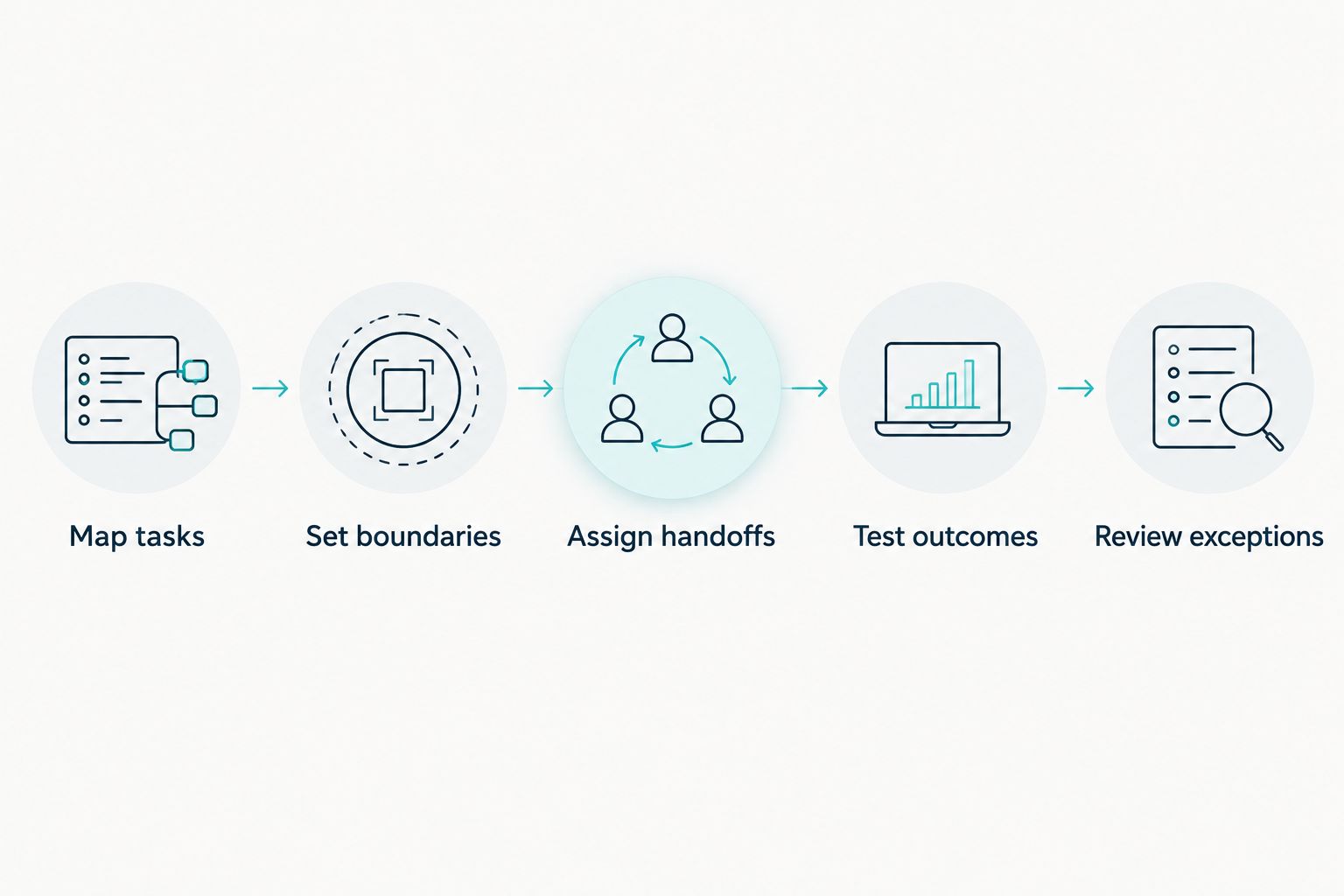
The process should leave you with a written division of responsibility. An employee should be able to tell which requests software handles, which requests come to them, and what to do when the handoff fails.
What should you measure before changing staffing?
Measure completed work, not just conversations started. For your 2026 evaluation, record whether inquiries receive a usable next step and whether employees must repeat or repair the interaction.
Track these outcomes using your own records:
- Resolution: Did the inquiry finish with an accurate answer or an assigned next action?
- Booking accuracy: Did the confirmed appointment follow your actual scheduling rules?
- Handoff completion: Did the responsible employee receive enough context to act?
- Correction work: Did staff need to fix information, undo a promise, or ask the same questions again?
- Customer choice: Could someone requesting human help reach the defined human process?
Compare the same types of requests under the existing and proposed workflows. Do not equate fewer calls reaching employees with less work if employees later spend time correcting the results.
Where does AL IntelliFlow fit?
AL IntelliFlow is best for service businesses seeking lead capture, follow-up, and appointment booking support. Its confirmed scope includes capturing and qualifying leads, automating follow-up, booking appointments, and streamlining routine business operations.
AL IntelliFlow organizes its business growth platform around Strategist, Connector, and Operator. Treat those roles as a way to consider planning, customer engagement, and operational work—not as proof of a particular telephone capability.
The relevant distinction is between lead management and voice reception. AL IntelliFlow's lead management capabilities do not establish that a particular setup answers telephone calls, transfers callers, or provides a complete receptionist replacement; voice receptionist capabilities require separate integrations or configuration.
The practical advantage is support for the inquiry-to-appointment process. The limitation is that you must verify any required voice workflow separately, including its handoff behavior, before assigning it front desk responsibility.
Can an AI receptionist replace someone who also welcomes visitors?
An AI receptionist does not replace the physical duties of an employee who welcomes visitors. If that employee also handles remote inquiries, assess those tasks separately rather than treating the position as a single automatable activity.
Should you remove front desk coverage after a successful demo?
A successful demo is not enough to justify removing front desk coverage. Test the actual request types, exceptions, and handoffs your business needs before changing who is responsible for customers.
Who handles requests the system cannot resolve?
A designated employee must own requests the system cannot resolve. Define that responsibility before launch, including what happens when the first contact is unavailable.
FAQ
Does an AI receptionist replace a front desk employee completely?
An AI receptionist does not automatically replace a front desk employee completely. It can take over defined tasks, while physical duties, judgment calls, and unresolved requests still need an assigned person.
Is an AI receptionist better than a human receptionist?
An AI receptionist and a human receptionist fit different responsibilities. Compare repeatable remote tasks separately from in-person assistance, complaints, and decisions that require judgment.
Can I keep my receptionist and still use automation?
You can keep your receptionist and automate selected tasks. Define which inquiries software handles and when an employee takes responsibility.
Can an AI receptionist book appointments without staff involvement?
Independent booking depends on the selected system and its configuration. Verify availability checks, booking rules, confirmation behavior, and exception handling before removing staff review.
What should happen when a caller asks for a real person?
A request for a real person should enter a clearly defined human handoff process. Verify any live-transfer capability and specify the fallback when the employee is unavailable.
Does AL IntelliFlow include every AI receptionist capability?
AL IntelliFlow's confirmed lead management scope does not establish every AI receptionist capability. Voice reception requires separate integrations or configuration, so verify the exact workflow you need.
How do I know whether reception automation is working?
Reception automation is working when requests reach accurate outcomes with clear responsibility for exceptions. Review booking accuracy, completed handoffs, unresolved inquiries, and staff correction work.
One last thing
An answer is not a resolution. A friendly response still leaves work unfinished if nobody owns the next step.
Before changing your 2026 front desk staffing, trace an unusual request from arrival to resolution. If responsibility disappears anywhere along the way, fix that handoff before expanding automation.
Related guides
- Can an AI receptionist transfer calls to a live person?
- How does appointment scheduling work with your calendar?
- From a missed call to a booked appointment
Explore AL IntelliFlow and start its free 14-day trial to assess how lead capture, follow-up, and appointment booking fit your business.