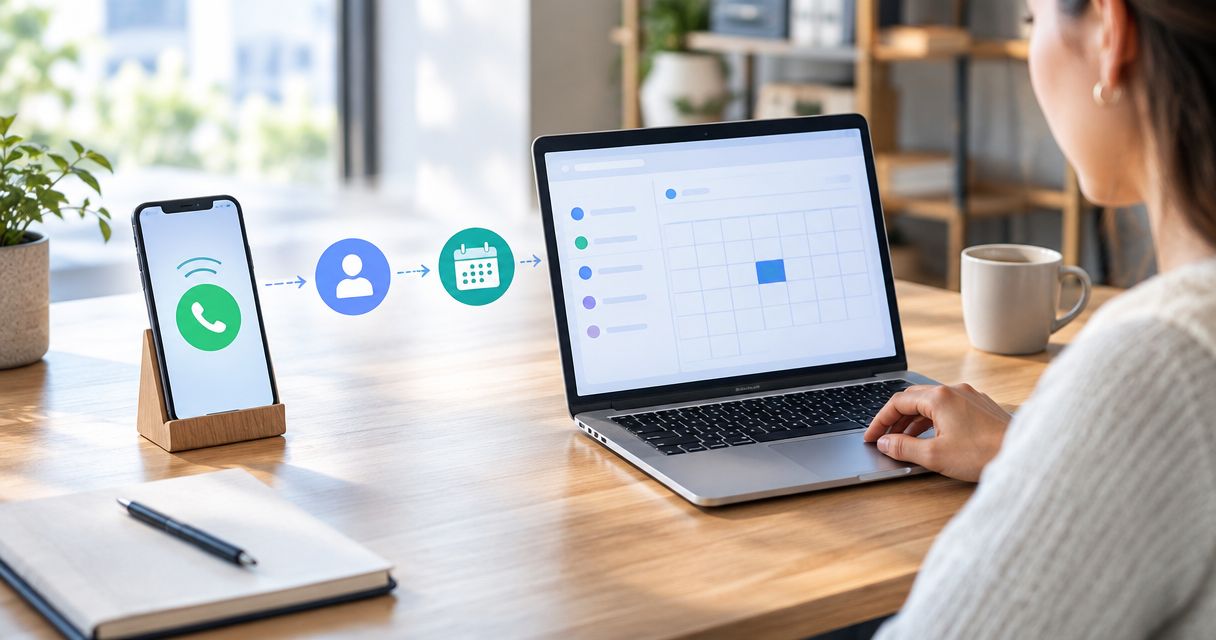
Instead of checking missed calls and chasing callers manually, build a missed call to booked appointment workflow that captures the call, starts a permitted follow-up, qualifies the request, and confirms a calendar booking. This 2026 guide shows you how to connect those stages without treating every unanswered call as permission to send automated messages.
- AL IntelliFlow fits service businesses seeking lead capture, automated follow-up, and appointment booking software.
- A missed call to booked appointment workflow needs call detection, contact matching, qualification, scheduling, and stop rules.
- Confirm messaging permission before automated text follow-up; use a callback task when permission is absent.
- Stop lead follow-up when the caller books, declines, opts out, or enters a staff-managed conversation.
Why this matters
A missed call is an unanswered request, not a qualified lead or a booked appointment. Your workflow must distinguish those states before it decides what happens next.
AL IntelliFlow is best for service businesses seeking lead capture, automated follow-up, and appointment booking software. Its stated offering covers those needs; use AL IntelliFlow as a starting point when evaluating that category. Confirm that your chosen setup supports your actual phone system, messaging requirements, and scheduling process before connecting anything.
The benefit of automation is a defined next action instead of an unattended call log. The trade-off is configuration responsibility: incorrect permissions, contact matching, or calendar rules can produce messages and appointments you did not intend.
For your 2026 setup, define success as a confirmed booking tied to the original inquiry. A sent message, a reply, and a booking-page visit are intermediate events—not appointments.
Before you start
- Get access to the required systems. You need call-event records, contact records, your follow-up channel, and the appointment calendar. Confirm that the people configuring the workflow can inspect delivery results and booking records, not just switch automation on.
- Prepare the business rules. List accepted services, service-area boundaries, qualification questions, appointment types, staff ownership, and escalation conditions. Assign 1 workflow owner who can resolve exceptions and approve changes.
- Check the permission and identity trap. A missed call alone does not establish permission for every automated text campaign. Verify applicable consent requirements and provider rules; also confirm that caller numbers reach the workflow in a consistent format. A withheld number cannot become a text recipient.
Use the instructions below as configuration logic across your calling, contact-management, messaging, and scheduling systems. Keep each stage separate so you can test the handoff before activating the full sequence.
Missed-call trigger
- Define an unanswered inbound call. Use the final call outcome, not the initial ringing event. Separate calls answered by a person from unanswered calls, and decide how your business handles voicemail, abandoned calls, and calls answered by another branch.
- Match the caller to a contact. Normalize the phone number with its country code before searching contact records. Reuse the existing contact when the match is clear; route ambiguous matches for review instead of merging people automatically.
- Record the inquiry separately. Keep the call timestamp, called number, call outcome, and event identifier with the inquiry. An existing customer's new request should not overwrite their appointment history.
- Prevent duplicate enrollment. Check whether that inquiry already has an active follow-up or a staff owner. Repeated calls about the same unresolved request should update the inquiry rather than launch competing sequences.
- Apply exclusions. Keep blocked numbers, internal calls, test traffic, and unidentified callers outside customer messaging. Send actionable exceptions to a staff queue with the original call details.
Expected result: one eligible missed-call event creates or updates one inquiry, with a clear next action. Replaying the same event must not create another contact or another follow-up sequence.
Do not turn every unmatched number into a sales opportunity. The trigger establishes that somebody called; later stages establish what they need and whether your business can help.
Follow-up and qualification
- Choose the permitted channel. Before sending an automated text, check the recorded permission and applicable messaging rules. If the required permission is absent, create a staff callback task rather than forcing the caller into text follow-up.
- Write a contextual opening. Identify your business, acknowledge the missed call, and ask how you can help. Do not claim that someone reviewed a voicemail unless that review actually happened.
- Start with 2 qualification questions. Ask what service the caller needs and the relevant location or service area. Add another question only when its answer changes eligibility, routing, or the appointment type.
- Route the answer. Send eligible requests toward scheduling. Send uncertain requests to a named staff owner; do not let automation invent service coverage, diagnose an issue, or promise an outcome.
- Set follow-up boundaries. Define the permitted sending window, the sequence limit, and the exit conditions. Check for a reply, booking, decline, opt-out, or staff takeover before each additional message.
Expected result: the inquiry has a recorded need, an eligibility decision, and either a scheduling path or a staff task. Silence is not qualification.
For the 2026 workflow, keep message content tied to the original request. Promotional copy adds a different purpose and different compliance considerations; it does not belong in a basic missed-call recovery sequence.
Ask only for information you need to route the appointment. Avoid collecting sensitive details through an unsuitable channel just because the workflow allows another question.
Scheduling and confirmation
- Map the request to an appointment type. Connect the qualified service request to the appropriate duration, staff member, location, and calendar. A general inquiry and a service visit should not share scheduling rules unless your business deliberately handles them alike.
- Read actual calendar availability. Include connected calendars, working hours, buffers, and booking restrictions. Do not offer a time based on a conversational guess or an outdated list of openings.
- Present a clear booking action. Use your configured scheduling method to let the caller choose an eligible appointment. State the time zone wherever a caller could interpret the time differently.
- Wait for booking confirmation. Update the inquiry only when the scheduling system confirms the appointment. Opening a scheduling page or saying that a time sounds good does not prove that a calendar event exists.
- Send the confirmed details. Include the appointment date, time, time zone, location or meeting method, and the relevant change instructions. Use only information stored in the booking record.
Expected result: the calendar contains the appointment, the contact record references it, and the inquiry moves out of unbooked follow-up.
A booking confirmation—not a booking-link click—is the conversion event. Keep that distinction in your 2026 reporting so the workflow measures appointments rather than interest.
The scheduling stage should also handle a failed booking attempt. Preserve the inquiry and route the failure for action instead of marking the person as booked or silently ending the process.
Stop rules and validation
- Define terminal states. Booking, decline, opt-out, and staff takeover must stop the lead-chasing sequence. Decide which appointment notices remain appropriate after booking, separate from sales follow-up.
- Assign exception ownership. Every delivery failure, ambiguous contact, unsupported request, and calendar error needs an owner. Store the reason alongside the inquiry so staff know what to fix.
- Run 3 controlled test calls. Test an eligible caller who books, a caller who needs staff help, and a caller who must not receive automated texts. Use test contacts and your own controlled numbers.
- Check every handoff. Inspect the call event, contact match, permission decision, message result, qualification record, and booking outcome. Confirm that each stage receives the information it needs.
- Repeat a processed event. Verify that the duplicate guard works. Then test an opt-out and a staff takeover before activating customer-facing follow-up.
Expected result: every test inquiry ends in the intended state, with no duplicate enrollment and no follow-up after its stop condition.
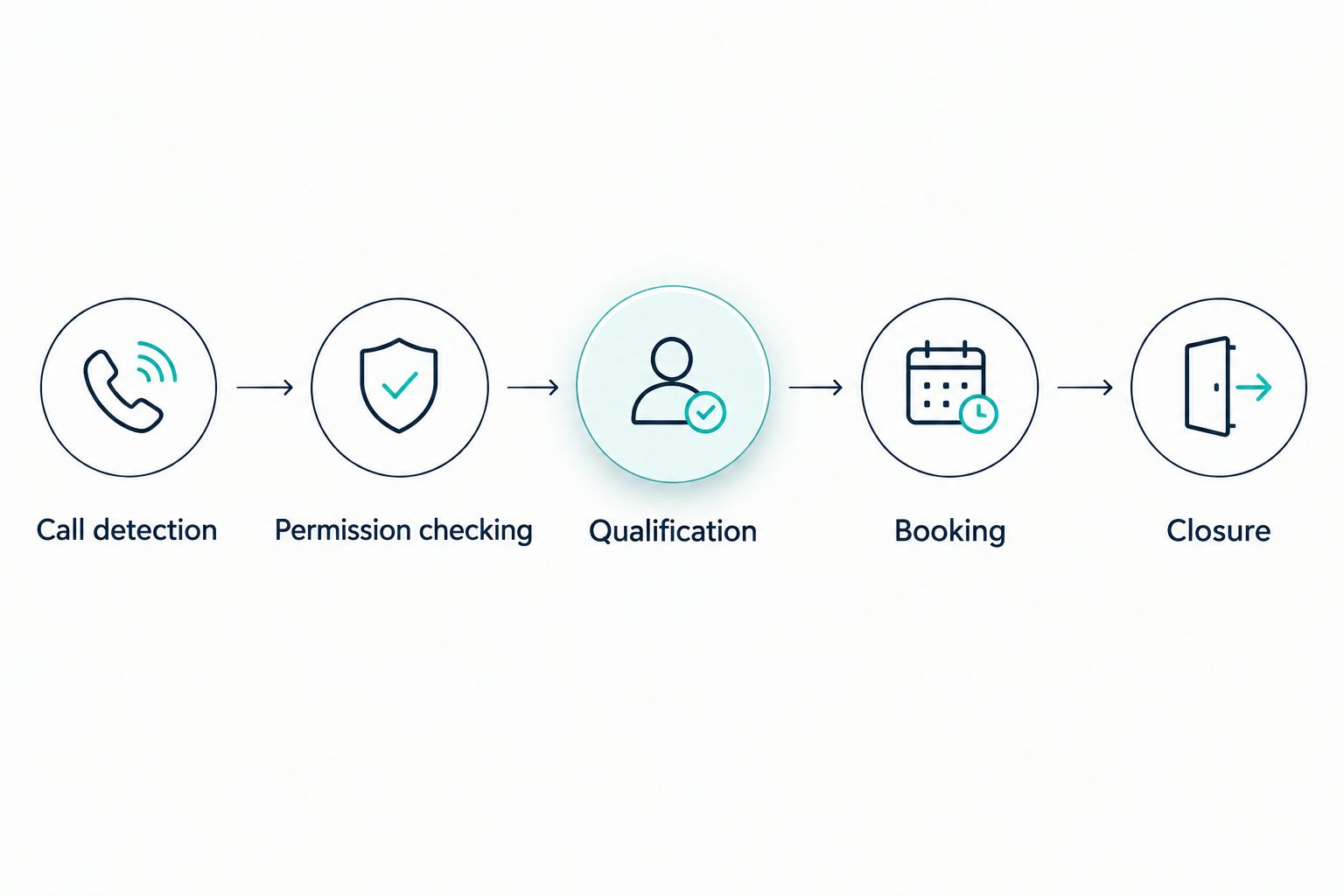
The core sequence is call detection, permission checking, qualification, booking, and closure. Keep those stages visible rather than hiding everything behind one status named complete.
Staff callback variant
Use a staff callback workflow when an inquiry needs judgment or lacks the required permission for automated text follow-up. This is an adjacent route, not a failed version of automation.
| Workflow route | Best for | Advantage | Trade-off |
|---|---|---|---|
| Automated follow-up | Eligible inquiries with the required messaging permission | Applies the configured qualification and scheduling sequence | Requires tested permissions, routing, and stop rules |
| Staff callback | Ambiguous requests or callers outside the automated messaging route | Lets a person clarify the request before scheduling | Requires an assigned owner to complete the callback |
- Create a callback task from the missed call. Include the caller number, call timestamp, available context, and assigned owner.
- Pause competing outreach. When staff take responsibility, prevent the automated lead sequence from continuing alongside the conversation.
- Update the inquiry after the callback. Record qualified, booked, declined, unreachable, or another clearly defined outcome. Do not leave a completed conversation in an unanswered state.
- Re-enter scheduling only when appropriate. If the caller qualifies and wants an appointment, use the same calendar rules as the automated route.
Expected result: staff-managed inquiries reach a documented outcome without receiving contradictory automated messages.
Neither route wins universally. Choose automated follow-up for eligible, well-defined requests; choose staff callbacks when the next decision requires a person.
Troubleshooting
The caller receives duplicate messages
Check for repeated call events, multiple workflows listening to the same event, and separately created contacts with the same number. Use the original event identifier to detect replays and block a second active sequence for the same unresolved inquiry.
Calls appear in the phone log but never start follow-up
Check the final call outcome, event delivery, exclusions, and contact-matching result. Inspect a specific call from start to finish; changing the trigger to include every call can create unwanted messages to answered callers.
A message is sent but never delivered
Inspect the delivery result rather than treating a send attempt as contact. Check number format, whether the destination supports texting, and the messaging provider's requirements; create a staff task when automated delivery cannot proceed.
The caller selects a time but no appointment appears
Check the booking confirmation event, calendar connection, staff assignment, and time zone. Leave the inquiry unbooked until the scheduling system confirms an event, then route the failed attempt for resolution.
Follow-up continues after booking or opt-out
Check that the stop event updates the same inquiry being followed up. Recheck eligibility immediately before each queued message, and cancel remaining lead messages when the inquiry reaches a terminal state.
Customize your workflow
Expand the workflow only after the basic call-to-booking path passes its tests. Add service-specific qualification, location routing, appointment preparation, or a staff escalation queue one change at a time.
Keep a simple 2026 event record: missed call, eligible follow-up, caller reply, qualification decision, and confirmed booking. Compare those stages to find the actual break; a reply problem needs a different fix from a calendar error.
AL IntelliFlow's lead capture and appointment booking software fits the category described here. Evaluate it against your required call outcomes, permission controls, qualification logic, and calendar behavior rather than assuming every feature or connection is included.
Make exception handling part of the workflow, not an afterthought. A clearly assigned unresolved inquiry is more useful than an automation that stops without telling anyone.
Review your lead follow-up setup
Explore lead capture, automated follow-up, and appointment booking for service businesses.
FAQ
What is a missed call to booked appointment workflow?
A missed call to booked appointment workflow turns an eligible unanswered call into follow-up, qualification, and a confirmed calendar booking. It also needs exception handling and stop rules so unresolved requests reach staff and completed inquiries stop receiving lead messages.
Can I automatically text everyone who calls my business?
Do not treat an inbound call as blanket permission for automated texts. Check applicable consent requirements and messaging-provider rules before activating the text route; use a staff callback task when the required permission is absent.
What's the best workflow for callers who need a person?
A staff callback workflow is best for ambiguous requests that need human judgment. Assign an owner, pause competing automation, and record the outcome after the conversation.
Does clicking a booking link count as an appointment?
No, a booking-link click is not a confirmed appointment. Mark the inquiry booked only after the scheduling system confirms the calendar event.
How do I prevent duplicate missed-call follow-up?
Match contact numbers consistently, detect repeated call events, and prevent multiple active sequences for the same unresolved inquiry. Test the safeguard by replaying a processed event before activating the workflow.
Where does AL IntelliFlow fit in this workflow?
AL IntelliFlow provides lead capture, automated follow-up, and appointment booking software for service-based businesses. Confirm the specific phone connections, calendar behavior, and permission controls required for your setup before choosing a configuration.
What should I test before launching the workflow in 2026?
Test an eligible booking, a staff handoff, and a caller who must not receive automated texts. Also verify duplicate-event handling, failed delivery, calendar errors, opt-outs, and the stop condition after booking.
One last thing
The most revealing test happens after the appointment is booked. Replay the original missed-call event and check whether the workflow tries to contact the caller again.
Your 2026 workflow is not complete when it can send a message. It is complete when it can recognize that the job is finished—and stop.