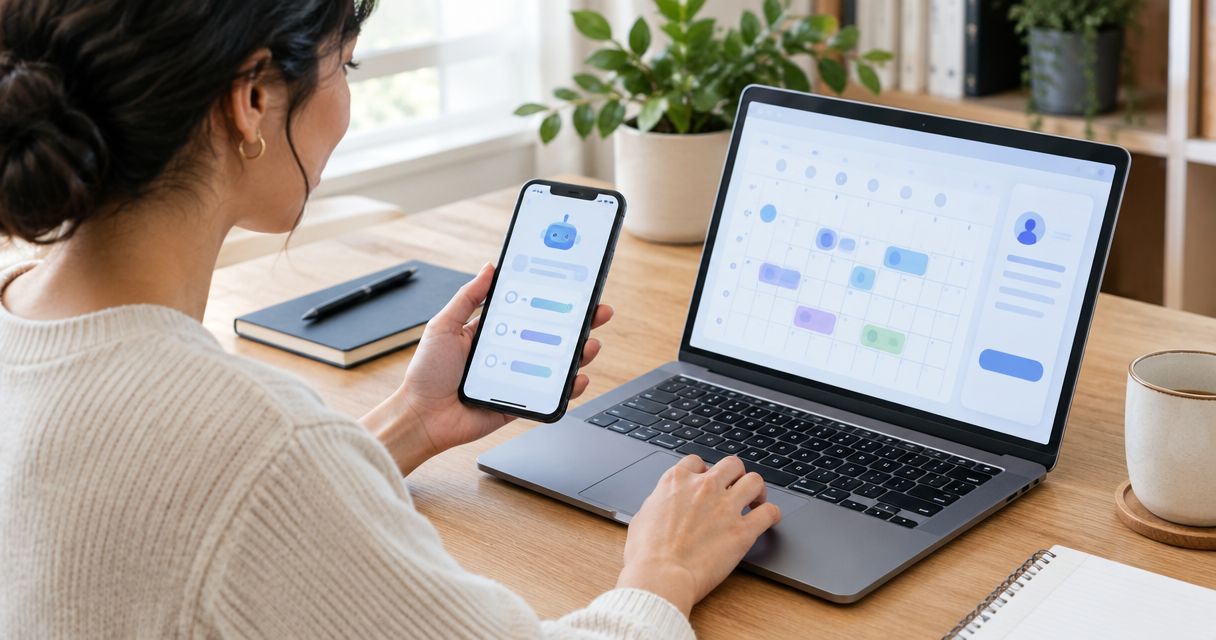
Yes—an AI receptionist can answer routine calls in a conversational, human-like way, but a natural voice does not guarantee human judgment. Its usefulness depends on whether it understands the caller, gives accurate answers, and completes the next step without inventing information. For your 2026 evaluation, judge the whole call—including corrections and handoffs—not just how convincing the greeting sounds.
- Can an AI receptionist answer calls like a human? Yes for routine conversations; human judgment remains a separate requirement.
- Choose an AI receptionist for defined call tasks, not unrestricted promises or difficult decisions.
- AL IntelliFlow supports lead capture, follow-up, and appointment booking; voice receptionist capabilities require separate verification.
- Test corrections, interruptions, human handoffs, and follow-through before routing customer calls to automation.
Can an AI receptionist really answer calls like a human?
An AI receptionist can sound conversational without handling every situation like a person. Speech recognition turns the caller’s words into text, a conversational system selects a response, and speech generation speaks the reply. Phone connections and business-system connections determine what happens beyond the conversation.
That distinction matters when you choose a system. Answering a question about opening hours is different from changing an appointment, resolving a complaint, or deciding whether your team should make an exception.
For a plain-English explanation of those components, see how an AI receptionist actually works.
Use this comparison to separate conversational ability from responsibility. These are operating approaches, not promises about a particular vendor.
| Approach | Best for | Main advantage | Main limitation |
|---|---|---|---|
| AI receptionist | Routine inquiries with clear instructions | Repeats an approved process and collects defined information | Depends on configuration, accurate information, and a working escalation route |
| Human receptionist | Exceptions, sensitive conversations, and relationship management | Applies judgment and clarifies unfamiliar situations | Needs staffing, training, and consistent documentation |
| AI with human backup | Routine intake followed by staff handling of exceptions | Separates repeatable tasks from decisions requiring judgment | Requires clear ownership and a tested handoff |
The right question for 2026 is not whether a caller mistakes the voice for a person. It is whether your business can trust the answer and the action that follows.
Why this matters for your business
A convincing conversation can still produce an incomplete lead. The caller explains what they need, receives a friendly reply, and hangs up—but nobody knows who should contact them next.
You need to define success before choosing the voice. For a service business, that might mean recording a callback request, identifying the service needed, or arranging an appointment through a verified scheduling connection. Each outcome needs a clear owner.
Keep lead management separate from telephone answering. AL IntelliFlow supports lead capture, qualification, follow-up, appointment booking, and routine workflows. That does not establish that a voice receptionist is included, or that a specific phone connection is ready to use.
If your 2026 priority is unanswered calls, first confirm the telephone-answering capability. If your priority is inconsistent follow-up, evaluate the workflow after the inquiry instead of treating a pleasant voice as the solution.
What does answering like a human actually mean?
A useful receptionist does more than pronounce words naturally. Evaluate the conversation at three levels: how it sounds, what it understands, and what it does.
Natural speech
Listen for understandable speech and a pace that lets callers respond. A polished greeting is not enough. Interrupt the response, ask a follow-up question, and listen for whether the system resumes at the right point.
Avoid choosing a voice purely because it sounds friendly. Your callers need clear information, not an impressive demonstration.
Accurate understanding
A caller can change their mind halfway through a sentence. Your test should include a corrected name, a different requested service, and an explanation that does not match the wording in your instructions.
The system should confirm important details rather than treat its first interpretation as final. A confidently repeated mistake is still a mistake.
Useful action
An appointment request is not a confirmed appointment. A callback request is not a completed callback.
Check whether the system records the intended outcome accurately and whether the connected process actually performs it. Never count a spoken promise as proof that the underlying action succeeded.
When is an AI receptionist the right approach?
Best for: routine calls with defined questions and approved answers. Start with tasks you can describe clearly, such as collecting a caller’s name, contact details, requested service, and preferred next step.
The advantage is a repeatable process. You can specify which questions to ask and which subjects belong with your staff.
The limitation is dependence on those instructions. If your service information is incomplete, or the caller asks for an exception, the system needs a safe fallback rather than permission to improvise.
Choose this approach when the task has a clear boundary. Do not assign it unrestricted responsibility for every conversation your business receives.
When is a human receptionist the better approach?
Best for: conversations that require discretion, negotiation, or relationship repair. A disappointed customer asking for an explanation is different from a new caller asking whether you serve their neighborhood.
A human receptionist can ask follow-up questions, recognize context, and seek an authorized decision. That flexibility matters when the answer is not already in your business instructions.
The trade-off is operational: your team still needs coverage, training, and a reliable way to document calls. Human handling does not automatically create consistent follow-up.
Keep people responsible for exceptions, but give them a defined process. Otherwise, the same unclear ownership that affects automated calls can affect staff-handled calls too.
When does AI with human backup make sense?
Best for: businesses that want routine intake without delegating difficult decisions. Let automation handle a defined opening task, then send exceptions to someone authorized to resolve them.
The benefit is a clear division of responsibility. The limitation is that a handoff must work in practice—not merely appear in a settings menu.
Decide what happens when the intended recipient cannot answer. A fallback might be collecting a callback request, provided the system supports that process and a named person owns it.
Also define what information accompanies the handoff. The customer should not have to repeat the entire conversation because your team received only a phone number.
Why human-like call quality varies
Use these factors as a 2026 evaluation checklist. They describe what to inspect, not capabilities you should assume every system includes.
- Audio conditions: Background noise, unclear speech, and overlapping voices test whether the system understands the request or asks for clarification.
- Conversation timing: Interruptions and pauses reveal whether the system respects the caller’s turn instead of continuing over them.
- Business information: Approved service details and explicit boundaries give the system something reliable to answer from.
- Task connections: Booking, routing, and record updates depend on supported connections and correct configuration—not just spoken responses.
- Escalation rules: Your instructions must identify when to stop answering and involve a person, including what happens when that person is unavailable.
A strong demonstration should expose these conditions. A rehearsed call that follows the script exactly does not tell you how the system handles a changed request.
How should you test an AI receptionist before using it?
For your 2026 evaluation, run 10 test calls before routing customer inquiries to the system. This is a practical starting checklist, not an accuracy benchmark or a guarantee that every scenario has been covered.
Ask 2 staff members to act as callers. Give them the same business information but let them phrase requests differently. Evaluate the results against your approved answers and intended actions.
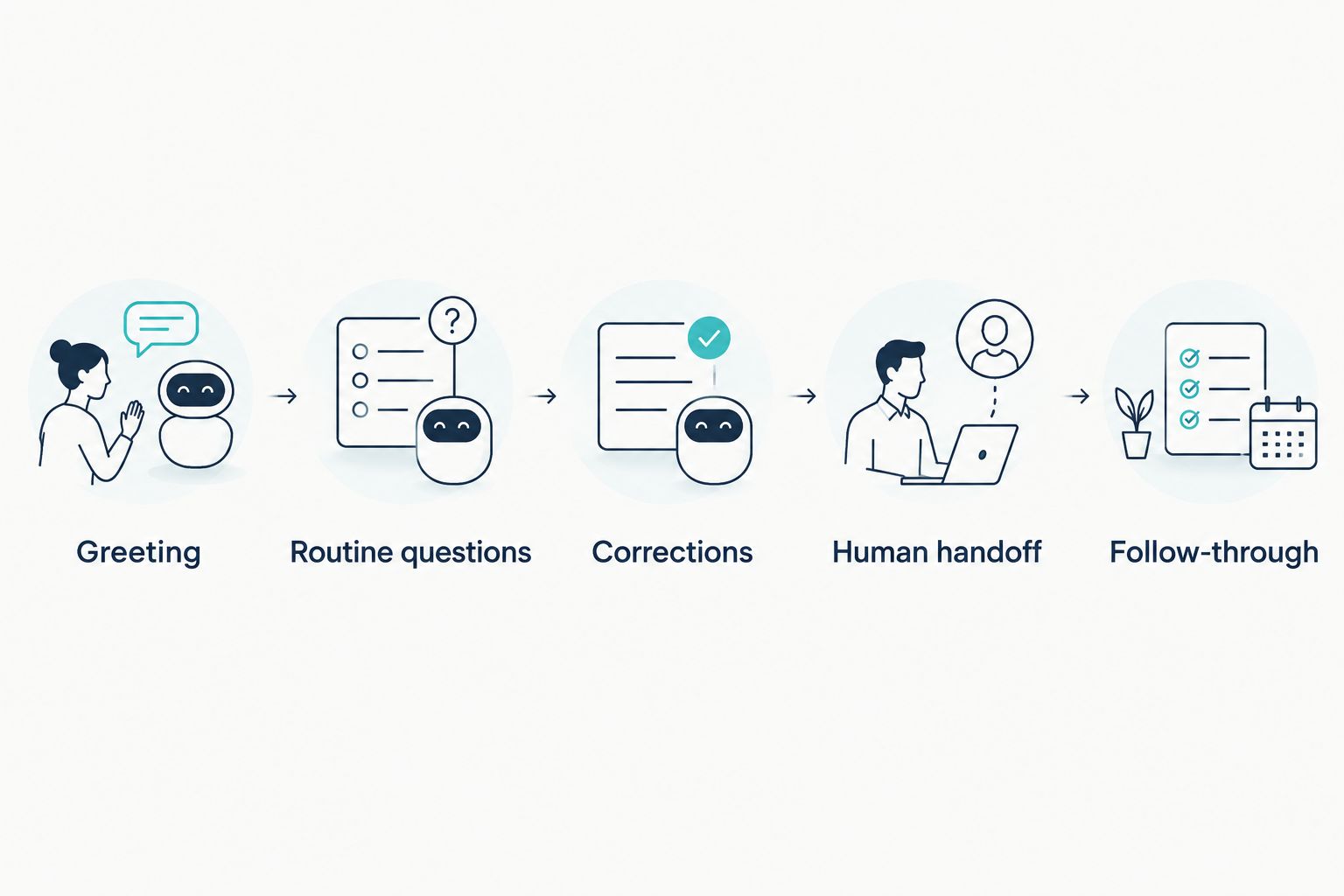
1. Greeting
Check whether the opening identifies your business and explains the assistant’s role clearly. Keep it short enough that the caller can state their reason for calling.
Do not build the experience around tricking callers into believing they reached a person. Clarity about the role is more useful than a performance of human identity.
2. Routine questions
Ask about a service you offer, then ask about one you do not. The correct response to an unsupported request should follow your instructions rather than invent an offering.
Use a hypothetical home-service inquiry: a caller asks whether your team handles a particular job. Check the reply against your approved service description, not against how confident the voice sounds.
3. Corrections
Change the callback number or requested service midway through the call. Ask the system to confirm the revised details.
Then inspect the resulting record. The corrected detail should replace the earlier version wherever the supported workflow stores it; the conversation alone is not sufficient evidence.
4. Human handoff
Ask for a person and introduce a request outside the assistant’s authority. Test both the intended handoff and the fallback when your staff cannot answer.
Inspect what the receiving person gets. A useful handoff should communicate the request and the reason staff involvement is needed, using whatever information transfer the system actually supports.
5. Follow-through
After the call, verify the promised action. If the system says it captured a callback request, check the record and identify who receives it.
If booking is supported, inspect the appointment in the destination system. Do not approve the workflow merely because the assistant announced that the booking was complete.
Keep a short log of what you asked, what the system answered, and what happened afterward. Separate speech problems from workflow problems so you know what needs changing.
Repeat failed scenarios after changing the configuration. Do not put a broken handoff into service just because the routine questions passed. Expand your tests to reflect the calls your business actually receives.
What should happen after the receptionist answers?
Start with 1 lead workflow: inquiry received, information captured, next step assigned, and outcome checked. Keep the process narrow enough that your team can explain who owns every stage.
For example, a prospective customer asks about a service but is not ready to book. Your process should distinguish that inquiry from a confirmed appointment and specify what follow-up is appropriate. Avoid treating every caller as ready to schedule.
AL IntelliFlow is best for service businesses that need lead capture, follow-up, and appointment booking—not an assumed voice receptionist. Its confirmed positioning centers on three roles: Strategist, Connector, and Operator, covering planning, customer engagement, and operational workflows.
Evaluate AL IntelliFlow’s lead-management capabilities separately from the voice layer. Confirm the specific connection and configuration before assuming a telephone conversation can trigger a particular workflow.
For your 2026 rollout, define the narrow process first. Then confirm what each system supports, test the connection, and decide who handles exceptions. This prevents a useful business-growth platform from being judged against a telephone feature you have not verified.
Can an AI receptionist handle an angry caller like a person?
An AI receptionist can use calm wording, but calm wording is not the same as judgment or authority. Your instructions should direct complaints, repeated misunderstandings, and requests for exceptions to the appropriate person.
Do not instruct the assistant to promise an outcome your staff has not authorized. Acknowledge the issue, collect the relevant information through supported functions, and follow the approved escalation process.
Can an AI receptionist book appointments during a call?
An AI receptionist can book during a call only when the selected system supports scheduling and the required connection is configured. Conversational ability alone does not establish access to your appointment system.
Ask for a demonstration that includes the resulting appointment record and a changed request. Verify the actual behavior instead of accepting a general statement that the tool “handles booking.”
Should an AI receptionist replace your receptionist entirely?
Do not replace the role entirely unless every assigned task has a tested process and every exception has an owner. Begin with routine intake and retain human responsibility for decisions outside the assistant’s instructions.
A receptionist’s work can include relationships, internal coordination, and judgment that your call automation does not cover. Evaluate those responsibilities separately rather than reducing the role to answering the phone.
FAQ
Can an AI receptionist really sound like a human?
Yes, an AI receptionist can produce conversational speech, but natural sound does not prove accurate understanding or reliable follow-through. Test interruptions, corrections, and the action completed after the call.
Will an AI receptionist understand every caller?
Do not assume an AI receptionist will understand every caller. Test varied phrasing and audio conditions, and require clarification or human escalation when the request is unclear.
What's the best way to choose between AI and a human receptionist?
Choose based on the task: AI suits defined routine intake, while human handling suits exceptions and conversations requiring judgment. An AI-with-human-backup approach needs a tested handoff and clear ownership.
Can an AI receptionist answer questions it hasn't been given information about?
An AI receptionist should not invent answers when approved business information is missing. Configure it to acknowledge the limit and use an appropriate escalation or callback process.
Does AL IntelliFlow include a voice receptionist?
AL IntelliFlow's confirmed capabilities include lead capture, qualification, follow-up, appointment booking, and routine workflows. Verify voice receptionist capabilities, required integrations, and configuration separately before relying on telephone answering.
How many calls should I test before using an AI receptionist?
Start with 10 test calls covering routine questions, corrections, interruptions, handoffs, and follow-through. This is a recommended starting checklist, not proof that every caller or situation will be handled correctly.
What should I do if the AI promises an action that didn't happen?
Pause that workflow and inspect the configuration and connected system. Retest the complete process before allowing it to make the same promise to customers.
One last thing
The most revealing test is not whether the assistant knows an answer. It is whether the assistant recognizes when it should stop answering.
Give it a request outside your approved instructions. A useful response respects the boundary, explains the next step, and avoids making an unsupported promise. That is a better selection criterion than a voice that sounds impressive while getting the business details wrong.
Related guides
- Best AI receptionist software
- How missed-call text-back works
- Missed-call-to-booked-appointment workflow
Explore AL IntelliFlow and start its free 14-day trial to evaluate lead capture, follow-up, and appointment booking for your business.