Instead of manually returning missed calls and chasing appointment details, turn Google Business Profile calls to booked appointments by routing your business number into a workflow that captures the request, qualifies the lead, checks your calendar, and confirms the booking. This 2026 guide covers the setup, an answered-call variant, and the tests that keep follow-up from continuing after someone books.
- Google Business Profile calls to booked appointments requires phone-system events, qualification rules, and a connected booking calendar.
- Alintelliflow suits service businesses seeking lead capture, automated follow-up, and appointment booking.
- Separate answered calls from missed calls so customers receive the right next action.
- Confirm appointments only after the calendar accepts them, then stop lead-chasing messages.
Why this matters
A call is an inquiry, not a booking. Someone must establish what the caller needs, whether your business serves that request, and which appointment is appropriate. Automating only the first reply leaves those decisions unfinished.
Alintelliflow appointment booking software is best for service businesses that need lead capture, follow-up, and booking support. Its stated scope includes those functions; your setup still needs the correct telephone routing, calendar access, and business rules. Explore Alintelliflow when evaluating that workflow.
For a 2026 implementation, distinguish the listing from the system handling the call. Google Business Profile displays your contact information; the connected phone service supplies the call events your workflow needs. Do not design this around an assumed native Google missed-call trigger.
Your success condition is specific: an eligible caller receives an appropriate next step, the calendar records the appointment, and unbooked-lead follow-up stops. A delivered message alone does not meet that condition.
Before you start
- Accounts and access: Have management access to Google Business Profile, administrative access to the phone service handling your listed number, and permission to configure your booking calendar. Confirm that your proposed software connection supports the required call events and booking actions.
- Booking materials: Prepare service types, service-area boundaries, appointment lengths, staff schedules, intake questions, and an escalation owner. Establish which requests require human review instead of immediate booking.
- The gotcha: A caller's number does not automatically authorize every follow-up message. Establish your messaging consent process, suppression rules, and call-recording requirements before activating outreach. Keep a callback route for callers who cannot receive texts.
Treat this as a release gate. If a test call does not reach the intended destination, or calendar permissions do not allow the required booking action, fix that connection before building follow-up rules.
Call routing configuration
Verify the public number
- Open the Google Business Profile you manage and select Edit profile.
- Open Contact and inspect Phone number. Verify that it reaches the business you intend callers to contact.
- Keep the existing number when it already reaches the correct phone system. If a change is necessary, enter the eligible business number and select Save; verify the public listing after the change is applied.
- Call the public number from an outside phone. Check the destination, business greeting, and after-hours behavior.
Expected result: A call placed through the number shown on your profile reaches the intended business line, including outside normal operating hours.
Do not replace your public number merely to obtain an automation trigger. First determine whether your existing provider can send the required events or route calls into a compatible system. Number changes are a separate operational decision, not a prerequisite for this workflow.
Define the call event
- In your phone service's integration settings, select the event that represents a completed inbound call. Use that provider's documented event names rather than assuming every platform labels missed calls identically.
- Map the caller number, called number, call identifier, timestamp, and final disposition into your lead record.
- Separate answered calls from unanswered calls. Inspect how the provider classifies voicemail, abandoned calls, and failed calls before deciding which outcomes enter recovery.
- Store the call identifier and check it before processing an event again. Record the source as Google Business Profile only when your routing or attribution data supports that source.
Expected result: Each qualifying call creates or updates the intended lead record without generating duplicate recovery actions.
A shared business number alone does not prove that a call originated from Google Business Profile. Keep unknown-source calls labeled as unknown rather than reporting unsupported attribution. You can still recover and book those callers.
Qualification and follow-up configuration
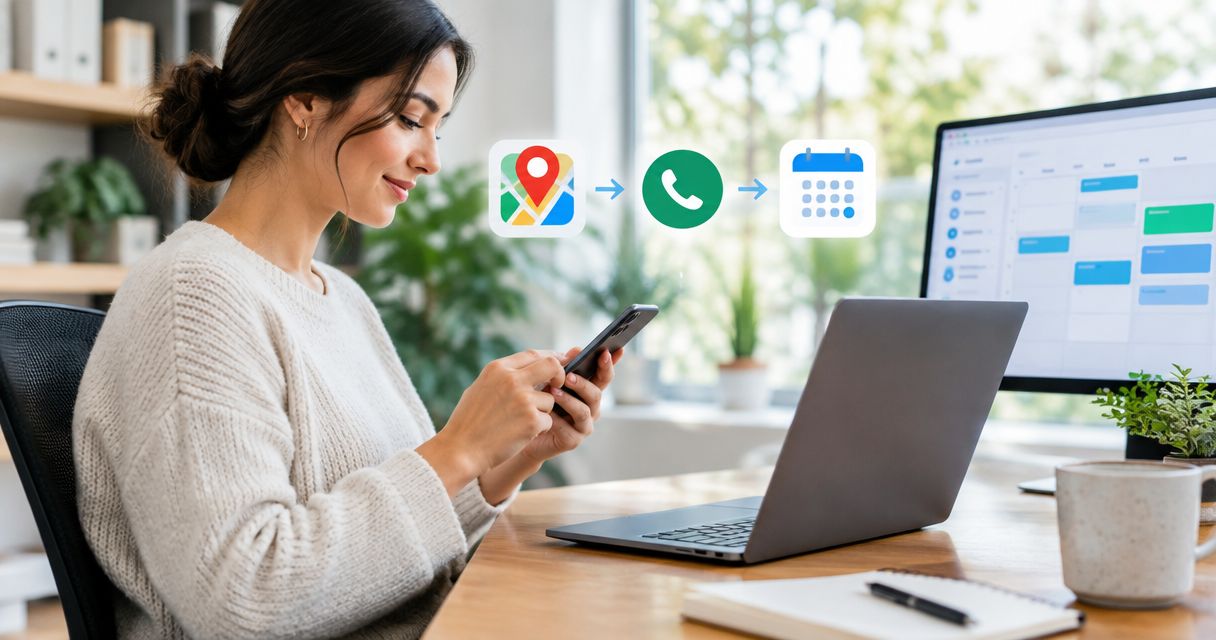
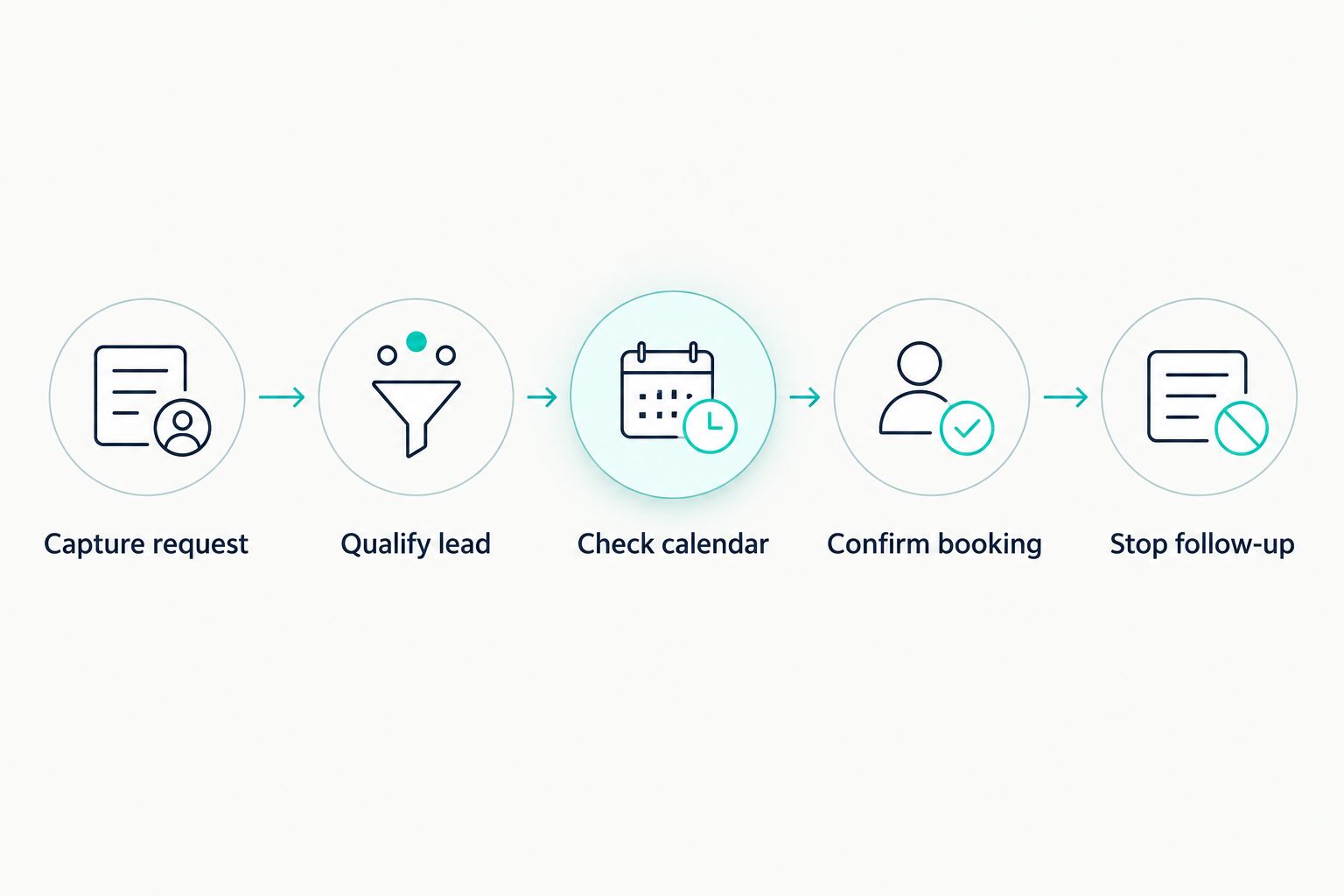
The core sequence is Capture request, Qualify lead, Check calendar, Confirm booking, and Stop follow-up. Each stage needs an exit condition so a caller does not remain in an unfinished conversation.
Capture request
- Match the caller to an existing contact before creating a new record. Normalize telephone formatting so the same number does not produce separate contacts.
- Check whether the contact already has an active appointment or an unresolved service conversation. Route those callers appropriately instead of treating every call as a new sales inquiry.
- For missed calls, create a callback task or start an authorized recovery conversation. Identify your business and ask what help the caller needs.
- Assign 1 owner to unresolved requests. Use a named staff member or a monitored team queue, not an unmonitored notification destination.
Expected result: The caller has one usable contact record, a clear request, and an accountable next step.
Alintelliflow lead follow-up software addresses capture and follow-up, but automation does not replace ownership. Someone still needs to handle exceptions, unclear requests, and conversations that require judgment.
Qualify lead
- Ask for the requested service and the information needed to establish eligibility. For a location-dependent service, collect the relevant service location.
- Apply your service-area and service-type rules before offering appointment times.
- Separate routine appointment requests from urgent, unsupported, or ambiguous requests. Send those exceptions to the escalation owner.
- Save the qualification outcome with a reason. Distinguish an eligible lead awaiting scheduling from an inquiry your business cannot serve.
Expected result: Eligible callers reach scheduling; other requests receive an appropriate human or business-defined response.
Keep intake focused. Ask for information that changes routing or scheduling, not every detail you might eventually need. Collecting unnecessary information adds friction and increases what your business must protect.
Configure follow-up exits
- Check channel permission before sending automated outreach. Honor opt-outs and maintain a callback option for contacts who should not receive messages.
- Define the action each follow-up requests: provide missing intake information, choose a time, or request a callback. Do not send a generic reminder with no next step.
- Exit the recovery sequence when the caller books, declines, opts out, or enters a human-managed conversation.
- Set a business-approved stopping rule for unanswered outreach. Ensure that a new call does not restart a sequence the contact has already declined.
Expected result: Follow-up helps unresolved callers progress and stops when it no longer serves the conversation.
For your 2026 launch, review the entire sequence from the customer's perspective. Read the first message, the next action, and the closing state together. Each should agree with what actually happened on the call.
Calendar and confirmation configuration
Check calendar
- Connect the calendar that controls actual appointment capacity. Confirm that the connection has the permissions your booking process requires.
- Map each supported service to its appointment type, duration, assigned resource, and location rules.
- Set the business time zone and verify how appointment times appear to customers. Apply working hours, blocked time, and any preparation or travel buffers your business requires.
- Offer times only after checking availability. Recheck the selected slot when creating the appointment rather than relying on an earlier availability response.
Expected result: Eligible callers receive times that match the correct service and current calendar capacity.
An expressed time preference is not a confirmed appointment. Keep the lead in a scheduling state until the booking system accepts the appointment. If the connection cannot reserve appointments, use a booking link or a human scheduling handoff instead of announcing confirmation.
Confirm booking
- Create the appointment and retain the resulting booking identifier with the contact record.
- Confirm the service, date, time, time zone, and location or meeting instructions that apply to that appointment.
- Notify the responsible staff member through the channel your team actually monitors. Include the qualified request and relevant intake information.
- Remove the contact from unbooked-lead recovery. Start appointment-related communication only under your approved consent and reminder rules.
Expected result: The customer and staff have matching appointment details, and the customer no longer receives messages asking them to book.
Alintelliflow provides appointment booking and routine workflow support. The benefit is less manual follow-up; the limitation is that your calendar rules, permissions, and exception handling still determine whether the resulting appointment is usable.
Variant: book after an answered call
Missed-call recovery is not the only useful route. An answered call can also end without a booking because the caller needs to check their schedule or supply information.
Use these two branches in your 2026 workflow:
| Workflow | Best for | Advantage | Limitation | Next action |
|---|---|---|---|---|
| Missed-call recovery | Unanswered inbound inquiries | Gives an unresolved caller a route back into scheduling | The call alone does not establish service fit or messaging permission | Capture the request, then qualify |
| Answered-call continuation | Qualified callers who have not chosen a time | Preserves the intake already completed | Staff must record the outcome accurately | Continue scheduling without repeating intake |
- Have the call handler record whether the caller booked, needs scheduling help, declined, or requires human review.
- For eligible unbooked callers, continue from the saved intake rather than starting the missed-call conversation.
- If the call handler already created an appointment, send the record directly to the booked state.
- Apply the same consent checks and exit conditions to both branches.
Expected result: Answered callers receive only the unfinished next step, while already-booked callers stay out of recovery.
Troubleshooting
Calls arrive, but the workflow does not start
Check the actual phone destination and inspect the provider's event log. Confirm that the event includes the expected called number and that the connection receives it. If no event exists, correct the phone-service connection rather than editing the calendar.
One call creates multiple follow-ups
Inspect whether the phone provider sends several lifecycle events or retries delivery. Process the final qualifying event once, using the call identifier as the duplicate check. Also prevent simultaneous active recovery sequences for the same contact.
Messages fail or reach the wrong person
Verify number formatting, channel capability, and contact matching. A shared number or an old record needs human review before you attach sensitive appointment details. Route delivery failures to a callback task instead of repeatedly resending the same message.
The offered slot cannot be booked
Inspect calendar permissions, service duration, staff assignment, and blocked time. Recheck availability during appointment creation. If another booking takes the slot, return the caller to time selection without sending a confirmation.
Booked customers still receive recovery messages
Verify that the booking event updates the same contact used by the call workflow. Check that recovery exits on a confirmed booking and that scheduled recovery messages are canceled. For a 2026 release, test this exit as carefully as the first reply.
Customize your workflow
Expand only after the basic path works. Add service-specific intake, separate after-hours routing, and an exception queue. Keep appointment reminders distinct from sales follow-up so changes to one sequence do not unintentionally restart the other.
Before launch, place 4 test calls: an answered eligible inquiry, a missed eligible inquiry, an unsupported request, and a repeat call from an existing contact. Complete 2 test bookings through different branches, then verify that both stop recovery messages. These are suggested acceptance tests, not conversion benchmarks.
Track call events, qualified requests, confirmed bookings, and attended appointments separately. Deduplicate callers and appointments before calculating conversion. A call-event count and a booking count are different measures; combining them without matching records produces a misleading result.
Build your call-to-booking workflow
Explore lead capture, follow-up, and appointment booking for your service business.
FAQ
How do I turn Google Business Profile calls into booked appointments?
Route your listed business number through a phone service that supplies usable call events, then connect intake, qualification, and calendar booking. Confirm the appointment only after the calendar accepts it, and stop unbooked-lead follow-up.
Can Google Business Profile trigger missed-call follow-up by itself?
Build missed-call follow-up around the phone service handling your listed number, not an assumed native Google trigger. Verify the provider's call events and supported software connection before configuring recovery.
Do I need to change my Google Business Profile phone number?
No, a number change is not automatically required. First check whether your existing business number and phone provider can support the call routing and events your workflow needs.
Can I automatically text everyone who calls my business?
Do not treat every inbound call as permission for automated texting. Establish the applicable consent process, honor opt-outs, and provide a callback route when messaging is inappropriate or unavailable.
What should happen if a caller already booked an appointment?
An already-booked caller should exit new-lead recovery. Match the caller to the existing appointment and route the request to appointment support instead of asking them to book again.
What if two callers choose the same appointment time?
Recheck availability when creating each appointment and confirm only accepted bookings. If the slot is no longer available, offer another time without announcing a reservation.
Is Alintelliflow suitable for service-business appointment booking?
Alintelliflow provides lead capture, qualification, automated follow-up, and appointment booking for service-based businesses. Confirm the required phone and calendar connections before selecting the implementation.
One last thing
The most important stop rule is the booking confirmation. A workflow that keeps asking a booked customer to schedule contradicts the appointment you just created. Make that exit a launch requirement, not a later cleanup task.