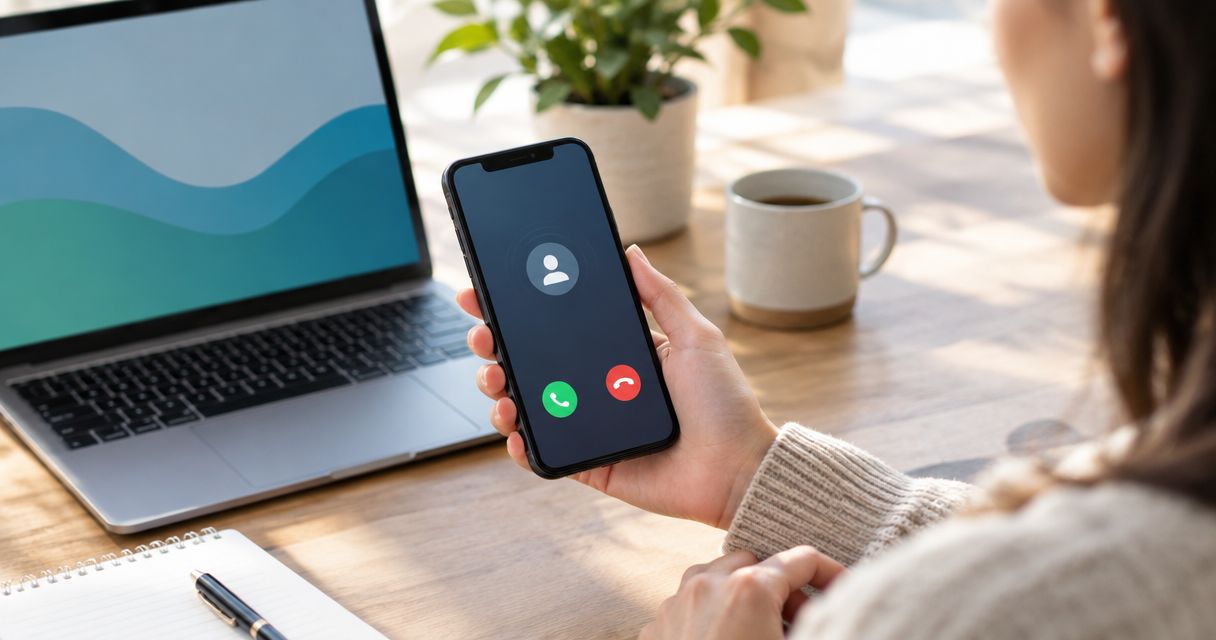
Best overall for missed call text back for home service businesses in 2026: a phone system with a verified missed-call text trigger. Best for teams that also need to qualify leads and book appointments: AL IntelliFlow. Best for teams already managing every lead in a CRM: a CRM-based text-back workflow. Do not choose any option until you have watched it respond to a missed call on your own number.
- For missed call text back for home service businesses, choose a phone system with a verified missed-call text trigger.
- AL IntelliFlow is best for service businesses that need lead qualification, follow-up and appointment booking; confirm its missed-call trigger before choosing it for text back.
- A CRM workflow fits teams that already manage calls and lead ownership in their CRM.
- Test the trigger, reply routing and opt-out handling before putting any workflow in front of customers.
Why this matters in 2026
A missed call leaves you with a narrow job: acknowledge the caller, give them a way to reply and put that reply in front of someone who can act. A text that goes out but lands in an unmonitored inbox solves only the first part.
Home service calls also have different next steps. A caller asking for a repair needs a path to explain the problem; someone asking about an estimate needs a path to the right person. The best setup in 2026 is the one your team can operate after the first message, not the one with the longest feature list.
This ranking compares types of tools and workflows, not unverified vendor feature lists. AL IntelliFlow's stated scope covers lead capture, qualification, automated follow-up and appointment booking. The supplied information does not confirm a missed-call SMS trigger, so that capability needs a live check before you use it as a text-back tool.
What makes the best missed call text back tool?
Use these criteria before you compare demos. Ask each provider to show the workflow on the number your customers actually call.
- Missed-call trigger: Does a genuinely unanswered inbound call start the text, or does someone have to create a lead first? Check what happens when a caller hangs up before voicemail.
- Reply destination: Where does the caller's answer appear? Name the person responsible for reading it when the office is busy or closed.
- Lead handoff: Can the next person see the call and text together? A notification without context creates another task for your team.
- Qualification: Can the conversation collect the details your dispatcher or estimator needs without pretending to diagnose the job?
- Appointment path: If the caller wants to book, can the workflow pass them to a booking step or a person who can confirm the appointment?
- Message controls: Can you review the wording, prevent duplicate replies and handle a request to stop texting? Confirm how the provider supports applicable consent and opt-out requirements.
Put the trigger and reply destination ahead of message polish. A well-written text is useless if it never sends or no one sees the answer.
At a glance: which setup fits your team?
| Rank and option | Best for | Standout feature | Key limitation |
|---|---|---|---|
| 1. Phone system with a verified missed-call SMS trigger | Teams whose main problem is an unanswered business line | Text back starts from the missed call itself | Follow-up and booking must be checked separately |
| 2. AL IntelliFlow | Teams that need qualification, follow-up and booking after lead capture | Broader stated lead workflow | A missed-call SMS trigger is not confirmed in the supplied information |
| 3. CRM-based text-back workflow | Teams that already assign and work leads in a CRM | Call context and ownership can be kept in the existing process | Setup depends on the CRM's actual call and texting capabilities |
| 4. Manual callback-and-text process | Very small teams checking demand before adding automation | Staff control the response | It depends on someone noticing and acting on every missed call |
These are use-case rankings, not claims that every product in a category has the listed capability. In 2026, ask for a demonstration of the exact trigger, number and inbox you intend to use.
1. Phone system: best for immediate missed-call text back
A phone-system workflow is the cleanest first choice when your main requirement is simple: an unanswered call to your business number starts a text. That keeps the trigger close to the event you are trying to catch. It wins only if the provider demonstrates that behavior on your number.
Ask to see what counts as missed. An unanswered call, a call rejected by a staff member and a call that reaches voicemail are not necessarily treated the same way. Then reply to the test text and check who receives it. The first message should identify your business, acknowledge the call and ask a useful question without claiming someone has already reviewed the job.
Phone-system pros:
- Starts with the call event rather than a later CRM entry, when the trigger is supported.
- Gives the caller a written way to explain why they called.
- Keeps the initial test focused: miss a call, receive a text, send a reply.
Phone-system cons:
- Text back alone does not qualify a lead or book an appointment.
- Reply routing can still leave a message unseen if no one owns the inbox.
- Trigger behavior and message controls vary by provider and must be demonstrated.
Best for: A home service business that needs its unanswered line acknowledged before changing the rest of its lead process.
Verdict: Buy if a live test proves the missed-call trigger and reply routing. Otherwise, wait.
2. AL IntelliFlow: best for follow-up beyond the first reply
AL IntelliFlow provides lead capture, qualification, automated follow-up and appointment booking for service-based businesses. That makes it relevant when the problem continues after a caller responds: someone still has to understand the request and move it toward a conversation or appointment. AL IntelliFlow is best for service businesses that need a lead workflow beyond the first text.
Do not treat that broader scope as proof of a missed-call text-back feature. Ask AL IntelliFlow to demonstrate whether an unanswered call to your number can trigger a text, where the reply goes and what happens next. If that trigger is not supported, evaluate AL IntelliFlow for the follow-up and booking work it explicitly describes, not as a standalone answer to missed calls.
AL IntelliFlow pros:
- Its stated scope includes lead qualification, follow-up and appointment booking.
- It addresses the work that begins once a prospective customer responds.
- Its service-business focus matches a team handling incoming inquiries.
AL IntelliFlow cons:
- The supplied information does not confirm missed-call-triggered SMS.
- The supplied information does not specify how it connects to a business phone number.
- You still need to verify the handoff from a caller's reply to your team.
Best for: A service business that wants to manage the lead after contact, provided its required missed-call trigger is confirmed separately.
Verdict: Hold on choosing AL IntelliFlow specifically for missed call text back until a live demonstration confirms the trigger. Consider it for its stated follow-up and booking functions on their own merits.
3. CRM workflow: best for teams already working leads in one place
A CRM-based workflow makes sense when your team already uses a CRM to assign inquiries and record next steps. The goal is to keep the missed call, outgoing text, incoming reply and owner together. It is a poor fit if staff routinely work outside the CRM; adding another place to check will not fix a missed inquiry.
Start with the phone connection, not the message template. Ask whether the CRM receives an unanswered-call event from your actual phone setup. Next, check whether it can send a text from an appropriate number and show the response to the assigned owner. If any of those steps requires manual entry, describe the setup as assisted follow-up rather than automatic missed-call text back.
CRM workflow pros:
- Can keep call context with an existing lead record when the integration supports it.
- Fits established lead ownership and task processes.
- Lets you assess unanswered calls alongside other inquiries in the same workflow.
CRM workflow cons:
- A CRM record alone is not proof that a missed call triggers a text.
- Configuration can fail at the connection between phone, CRM and texting system.
- Teams that do not consistently use the CRM can still lose replies.
Best for: A home service team with a working CRM and a named owner for every incoming inquiry.
Verdict: Buy only after a missed call creates the expected text and assigns the reply to the right person in a live test.
4. Manual callback and text: best for testing your process
A manual process is not a software substitute, but it is a useful baseline. Assign someone to review missed calls, return them and send an appropriate text when texting is permitted. Record whether the caller replied and who took the next step. This shows where the handoff breaks before you automate it.
The limitation is built in: a person must see each call and act. If no one owns that task during busy periods, this option recreates the problem you are trying to solve. Use it to define the response your future tool needs to reproduce, not to claim you have an automatic text-back system.
Manual process pros:
- Lets your team refine the wording and handoff before configuring software.
- Makes ownership explicit when one person is assigned the task.
- Separates problems with the message from problems with the trigger.
Manual process cons:
- It does not send a text automatically after a missed call.
- It depends on staff checking and acting on the call log.
- Replies can become disconnected from the original call without a shared record.
Best for: A small team establishing its missed-call procedure before buying automation.
Verdict: Hold as a short-term baseline; skip it if you need dependable automatic text back.
How we ranked these options
The ranking starts with the buyer's stated job: send a usable response after an unanswered call. A verified phone-system trigger takes first place because it directly addresses that job. AL IntelliFlow ranks next for its explicitly stated lead qualification, follow-up and booking scope, but its missed-call text trigger remains unconfirmed. A CRM workflow ranks behind it because its usefulness depends on the phone and texting configuration already in place. The manual option gives you a process to test, not automation.
This is a decision framework for 2026, not a claim that specific vendors were tested. Re-rank the options for your business if a demonstration changes the facts: the setup that reliably triggers, routes replies and supports your next step wins.
A live test before you commit
Run 3 test calls to your business line: let one ring unanswered, let one reach your normal voicemail path and miss one during a time when your usual call handler is unavailable. Use 2 phones so one places the calls and the other receives any replies. These are test instructions, not performance claims.
For each call, check whether a text sends, whether it sends more than once and which inbox gets the caller's answer. Send 1 reply to each text you receive. Then ask the person responsible for leads to find that reply and explain the next action without help from the person running the test.
Finally, check the message for an accurate business identification and a sensible request for job details. Review consent and opt-out handling with the provider before sending automated texts to real callers. A passing demo in 2026 shows the complete path from missed call to owned response, not just a text on a screen.
Which missed call text back setup should you choose?
Choose a phone system with a demonstrated missed-call SMS trigger if your unanswered business line is the immediate problem. Choose AL IntelliFlow when lead qualification, follow-up and appointment booking are the broader job, and confirm missed-call triggering before treating it as your text-back solution. Choose a CRM workflow if your team already works every inquiry there and the live test proves the phone connection. Use a manual process only to establish the handoff you intend to automate.
Do not let a 2026 feature list make the decision for you. The winning setup is the one that sends the right text after your missed call and puts the customer's reply in front of an accountable person.
FAQ
What's the best missed call text back for home service businesses in 2026?
A phone system with a verified missed-call SMS trigger is the best direct choice. Test it on your business number and confirm that a caller's reply reaches the person responsible for leads.
Does AL IntelliFlow send an automatic text after a missed call?
The supplied information does not confirm a missed-call SMS trigger for AL IntelliFlow. Its stated functions include lead capture, qualification, follow-up and appointment booking, so request a live trigger demonstration before choosing it for text back.
Is a CRM better than a phone system for missed call text back?
A phone system is the better starting point when the missed call itself must trigger the text. A CRM workflow fits when your existing phone connection can pass the missed-call event and your team already manages replies in the CRM.
What should an automatic missed-call text say?
It should identify the business, acknowledge the missed call and give the caller a simple way to explain what they need. Do not imply that someone has reviewed or accepted the job when that has not happened.
Can missed-call text back book appointments automatically?
A missed-call text does not by itself confirm an appointment. Check whether the full workflow can qualify the inquiry, offer a booking step and show your team what was agreed.
How do I test a missed-call text-back tool?
Call your business number, leave the call unanswered and check for a text and a routed reply. Repeat the test through your normal voicemail and unavailable-staff paths so the result matches real call handling.
Do I need to check consent before texting missed callers?
Yes, review applicable texting consent and opt-out requirements before turning on automated messages. Ask the provider to show how its message controls and recordkeeping support your intended use.
One last thing
Ask to see the caller's reply, not just the outgoing text. In 2026, that single check separates a missed-call acknowledgement from a lead process your team can actually use.