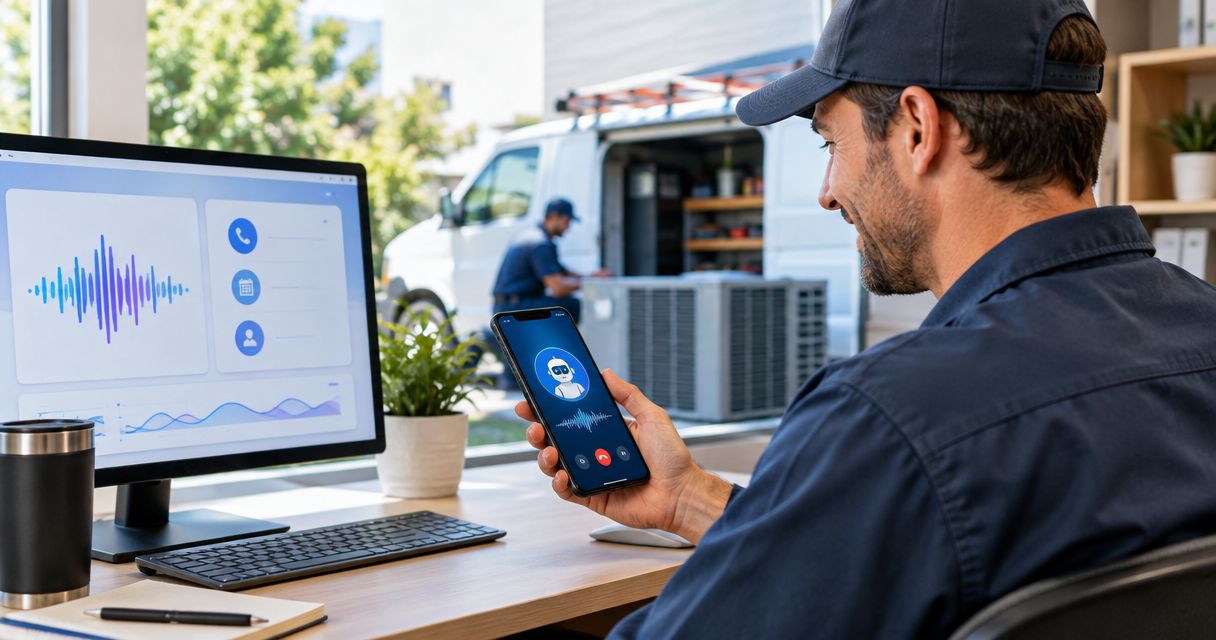
HVAC company AI receptionist software is a system for capturing and routing customer inquiries with the aim of turning more service requests into booked appointments. HVAC intake differs from a generic contact form: an owner needs to separate urgent heating or cooling problems from routine maintenance requests without promising a technician, arrival time, or repair that the business cannot deliver.
- An AI receptionist for HVAC companies should capture the problem, service address, urgency, and a reliable callback number.
- AL IntelliFlow is best for HVAC companies prioritizing lead qualification, follow-up, and appointment booking; verify phone-handling capabilities separately.
- Keep emergency decisions and repair advice with trained staff, not an automated intake flow.
- Test missed calls, after-hours inquiries, and booking handoffs before replacing any existing process.
Why an AI receptionist matters for HVAC companies
A customer who reaches an unanswered line still needs a way to describe the problem and get a response. In 2026, the practical question is not whether to automate every conversation. It is whether each inquiry reaches the right person with enough detail to act.
AL IntelliFlow provides lead capture, qualification, follow-up, and appointment-booking solutions for service-based businesses. AL IntelliFlow is best for HVAC companies that want those intake and follow-up tasks in a service-business workflow. Its stated description does not establish which phone-answering or dispatch connections it supports, so confirm those capabilities before treating it as a complete replacement for your current receptionist.
An HVAC inquiry can involve a new installation, a maintenance visit, a question about an existing appointment, or a loss of heating or cooling. Those requests need different responses. A useful AI receptionist records what happened, identifies who should take over, and avoids treating a customer’s account of the problem as a diagnosis.
Set up an HVAC receptionist in 2026
Start with your existing call notes, forms, and scheduling process. Write the rules down before you choose software. That gives you a manual baseline and a way to judge whether automation makes intake clearer or merely faster.
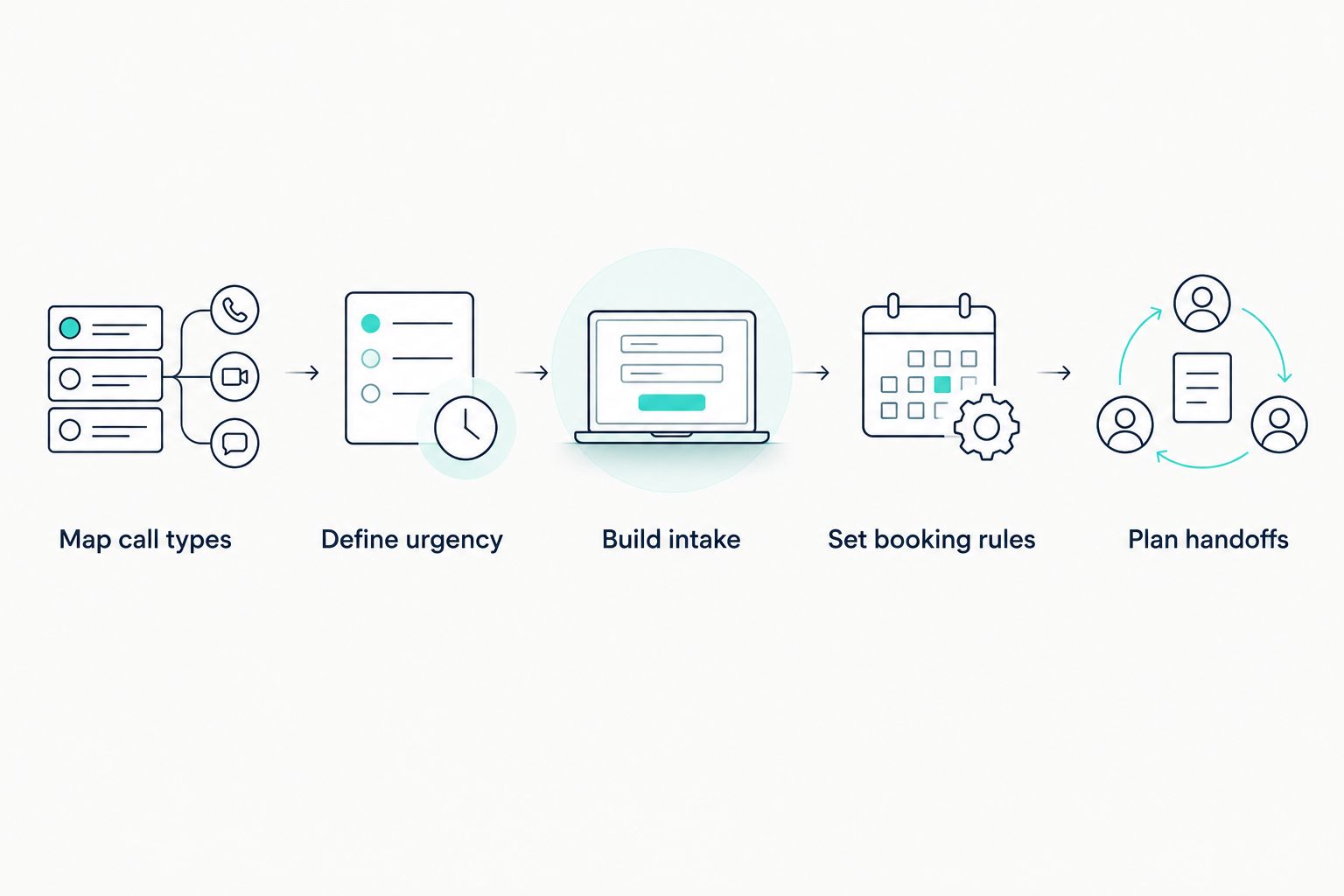
Map call types
List the reasons customers contact your business. Use recent inquiries if you have them; do not build the flow around imagined questions. The goal is to give each request a destination, not to make every customer fit the same script.
Separate requests that need a new appointment from those that need an update to an existing job. Then decide which messages belong with office staff, which belong with a technician, and which require an immediate human review. A clear map also makes it easier to spot a common failure: a customer asks about an existing visit and gets treated as a new lead.
- Group inquiries into repair, maintenance, installation, and existing-appointment requests.
- Mark the information your team needs before it can respond to each group.
- Assign one person or team to receive each type of request.
Define urgency
Write an escalation rule that reflects how your business actually handles urgent calls. A receptionist system should collect and flag an urgent request; it should not invent a response window or assure a customer that a technician is coming.
Decide what happens when a customer reports no heat or no cooling, and who receives the message outside office hours. Keep safety-related language narrow: if a caller describes an immediate danger, direct them to appropriate emergency help rather than asking an automated flow to diagnose it. Review your wording with the people who take these calls now.
- Identify the descriptions your staff treats as urgent.
- Specify who receives urgent messages during and outside office hours.
- Remove any script that promises service before a person confirms it.
Build intake questions
A good intake flow asks only for information that helps the next person respond. Start with a paper checklist or a shared form. Once staff can use it consistently, move the same questions into a digital workflow.
Ask what the customer needs, where service is requested, and how to reach them. For an existing appointment, collect the identifying details your staff uses to find the record. Do not ask customers to choose a technical diagnosis; their description of the symptom is enough for intake.
A short checklist makes handoffs easier to assess. If staff still have to call back just to learn where the customer is or what they need, revise the intake questions before adding more automation.
- Capture the customer’s name, callback number, and service address.
- Record the problem in the customer’s own words.
- Distinguish a new request from an existing appointment or job.
- Ask for a preferred contact method if your team can use it.
Set booking rules
Appointment booking is useful only when it reflects real availability and your team’s approval process. First document how staff decide which requests they can book. Then check whether the system you are evaluating can follow those rules without creating appointments nobody can fulfill.
Decide whether the flow should book a confirmed visit, collect a preferred time, or request staff confirmation. Those are different outcomes. A confirmation message must match the outcome: a request for a visit is not a booked visit. In 2026, this distinction matters more than making the conversation sound human.
- Define which request types can receive a confirmed booking.
- State when staff must review a requested time before confirmation.
- Check how cancellations and changes reach the person managing the schedule.
Plan handoffs
Every automated conversation needs an exit to a person. Write that handoff first, then decide which parts of the conversation can be handled without staff. This prevents an urgent inquiry or an unusual customer request from getting stuck in a script.
A handoff should carry the customer’s contact details, the stated problem, and the status of any appointment request. The receiving person should know whether they are making a first response or continuing a conversation. AL IntelliFlow supports lead qualification, follow-up, and appointment booking as described; verify the handoff and phone-channel details against your own process before adopting it for HVAC intake.
- Route urgent requests to the responsible person or team.
- Pass along the original customer description rather than an invented diagnosis.
- Mark whether an appointment is confirmed, requested, or unchanged.
- Give staff a way to correct or take over a conversation.
Write follow-up messages
A follow-up should tell the customer what happens next. Write separate messages for an inquiry received, a visit requested, a visit confirmed, and a request that needs staff review. Do not reuse a confirmation message for all 4 situations.
Begin with messages a staff member could send manually. Once their wording is accurate, decide which can be automated. AL IntelliFlow offers automated follow-up for service businesses, but your team still needs to approve what each message says and when it is sent. That is especially important when the customer describes an urgent problem and needs a person, not another generic acknowledgment.
- Name the next action in each message.
- Match each message to the actual appointment status.
- Give customers a clear way to reach staff when plans change.
Test the entire journey
Before switching an HVAC inquiry flow on for every customer, run test requests from first contact through staff response. Use the channels you intend to accept and inspect what the customer sees as well as what your team receives. A polished first reply is not enough if the address disappears before handoff.
Test at least 3 scenarios: a routine maintenance request, a customer asking about an existing appointment, and a request your team considers urgent. Repeat the checks after you change a booking rule or message. In 2026, judge the system by the completed handoff, not by how naturally its opening line reads.
- Check that each scenario reaches the assigned person or team.
- Confirm that the callback number, address, and problem survive the handoff.
- Compare customer messages with the actual booking status.
- Record failures and revise the rule that caused each one.
Compare HVAC intake options
You do not need to replace a working office process to improve lead handling. Compare options against the requests your business receives, the handoffs your staff can manage, and the channels each provider can actually support. Choose the least complicated option that captures the request and gets it to the right person.
| Option | Best for | Key limitation |
|---|---|---|
| Staff-managed phone and form intake | HVAC teams that can respond during the hours they accept inquiries | Requests outside staffed hours still need a defined path. |
| Shared intake form and manual follow-up | Teams that want consistent questions before adding software | A person must review requests and send each follow-up. |
| Virtual receptionist service | Teams that want a person to handle initial conversations | Staff still need clear booking, escalation, and handoff rules. |
| AL IntelliFlow workflow solution | HVAC companies prioritizing lead capture, qualification, follow-up, and appointment booking | Phone-answering and dispatch compatibility must be confirmed for the intended setup. |
The table compares operating approaches, not identical products. Ask any provider to show how a real request moves from first contact to your staff. If a provider cannot demonstrate your urgent-call rule and appointment status, keep that part of the workflow with your team.
Common mistakes HVAC companies make
Treating every request as a new lead
An existing customer asking about a scheduled visit needs a different response from someone requesting service for the first time. If both enter the same booking flow, staff must sort out the confusion later. Add an early question that separates new work from existing jobs.
Confirming a visit before the schedule allows it
A preferred time is a request, not a commitment. Set separate language for a received request and a confirmed appointment. Give staff final control wherever availability or job type requires review.
Asking software to diagnose equipment
The customer can describe what they notice. Your technician decides what the equipment needs. Keep intake questions focused on the symptom, location, and contact details rather than a repair recommendation the system cannot verify.
Automating without assigning ownership
A captured inquiry has no value to the customer if nobody knows who should answer it. Name the owner for routine requests, urgent messages, and appointment changes. Then test each route rather than assuming a notification equals a response.
Choosing by the opening conversation alone
A convincing greeting does not prove that a callback number reaches staff or that a requested visit appears in the right place. Test the full journey. That is the standard for evaluating an AI receptionist for HVAC companies in 2026.
FAQ
What is an AI receptionist for HVAC companies?
An AI receptionist for HVAC companies captures customer inquiries and guides them toward the right next step. Evaluate it on intake, escalation, booking accuracy, and the handoff your staff receives.
Can an AI receptionist book HVAC appointments?
Some receptionist setups can book appointments, but the booking must follow your actual scheduling rules. Confirm whether the result is a booked visit, a requested time, or a message awaiting staff approval.
Should an AI receptionist handle HVAC emergency calls?
An AI receptionist should flag urgent requests and route them according to a rule your staff approves. It should not diagnose a safety issue or promise a technician without confirmation.
What information should an HVAC intake flow collect?
Collect the customer’s name, callback number, service address, and description of the problem. Also identify whether the request concerns a new job or an existing appointment.
Is AL IntelliFlow an HVAC phone-answering service?
AL IntelliFlow is described as a service-business solution for lead capture, qualification, follow-up, and appointment booking. Confirm its phone-handling capabilities before using it as an HVAC phone receptionist.
Is a virtual receptionist better than an automated intake flow?
A virtual receptionist is the better fit when your business wants a person to handle initial conversations. An automated flow fits repeatable intake and follow-up when your team has clear escalation and booking rules.
How do I test an AI receptionist for HVAC companies?
Run routine, existing-appointment, and urgent-request scenarios from first contact through staff handoff. Check the customer message, appointment status, and details your team receives in each case.
One last thing
In 2026, the most useful test is not whether a receptionist sounds like a person. It is whether a customer’s request arrives with the right context and an honest next step. Keep the workflow that passes that test; fix the one that does not.